
Enroll in Auto Pay
How to Enroll in Auto Pay for Your CTC Bill
Simplify your monthly billing process by setting up automatic payments through your CTC online account. This guide walks you through the steps to securely link your bank account and enable Auto Pay, ensuring your payments are always on time.
1
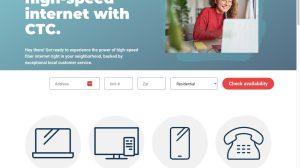
CTC Homepage
Navigate to https://goctc.com
2
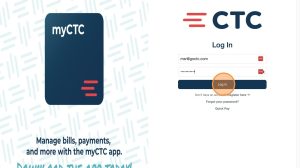
Login to eBill
Pull down the “My Accounts” dropdown
Select “my CTC eBill”

Use your login information to sign in
Click “Log In”
3
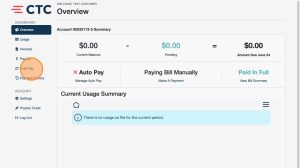
Account Dashboard
Select “Auto Pay” in the sidebar
4
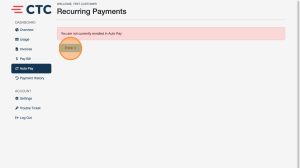
Click “Enroll”
5
Add Bank Account
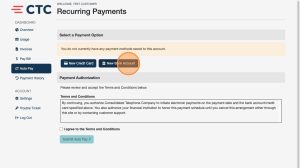
Click “New Bank Account”
6
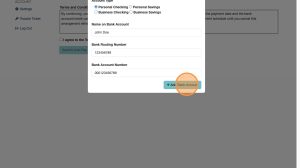
Setup Payment Account
Select your account type
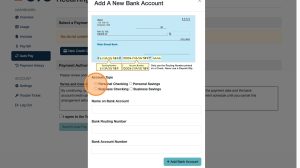
Enter the name associated with your bank account
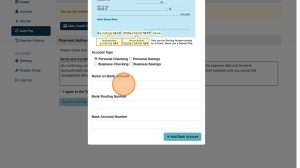
Enter your routing & account numbers
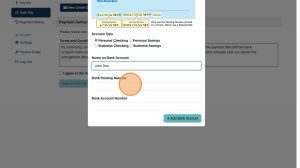
Click “Add Bank Account”
7
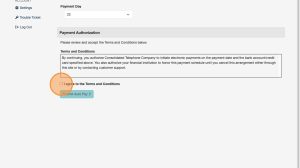
Accept Terms
Click the “I agree to the Terms and Conditions” field
8
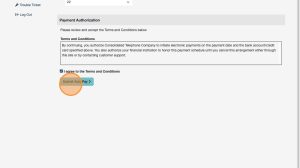
Submit
Click “Submit Auto Pay”
9
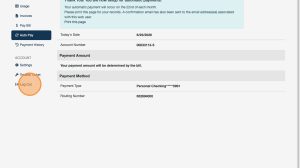
Log Out
You have now enrolled in Auto Pay
From the confirmation screen, log out by selecting “Log Out” from the sidebar
Support
For additional help, contact our support team at 218-454-1234.
