
Rebooting Your GigaSpire U6 Router
1
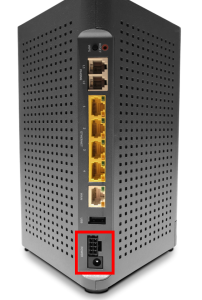
Locate Power Port
Look towards the bottom of the router.
2
Unplug Power Cable
After disconnecting power, wait 30 seconds.
3
Reconnect Power
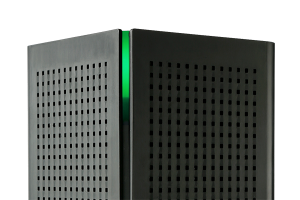
The light in the top corner will flash while the router turns back on.
Router is fully powered on when the light goes either solid red or solid green.
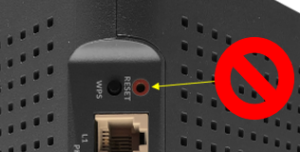
Do not push the “RESET” button on your unit. This will factory reset the device and will require you to contact our tech support team to reconfigure your unit. If you hit this button by mistake please call us at 218-454-1234.
Support
For additional help, contact our support team at 218-454-1234.
