
Create New Watch TV Everywhere Account
Watch TV Everywhere
To register for the service, you will need to be subscribed to one of CTC’s TV packages, find your account number from one of your CTC bills, and use the exact spelling of the last name of the account holder.
How to Sign Up
1
Visit Webpage
Go to https://watchtveverywhere.com/
Select “CTC – Brainerd, MN” from the dropdown list.

2
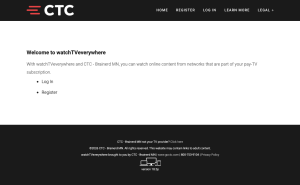
Click ‘Register’
3
Complete New User Form
You will need your CTC Account Number and the Last Name from your CTC statement.
Fill out the form and remember your password.
Your Email Address will be used as your User Name.

4
Submit Registration
Click “Submit” button.
An email will be sent to the address you used on the form.
You may need to check your junk/spam folder.

Support
For additional help, contact our support team at 218-454-1234.
